
Media folder plugins
WP Media Cloud works with FileBird, Real Media Library and HappyFiles. No setup is needed.
What works#

- Folders are never touched. Folders live in your database, not in the uploads folder, so offloading, removing local copies and restoring leave them exactly as they are.
- Bulk actions in any folder view. The Media Library bulk actions (Offload to cloud, Download to server, Remove local copies) work inside any folder.
- Optional: mirror folders in the bucket. With
%folder%in the path prefix, files are stored in the bucket under the folder they are in.
Mirroring folders with %folder%#
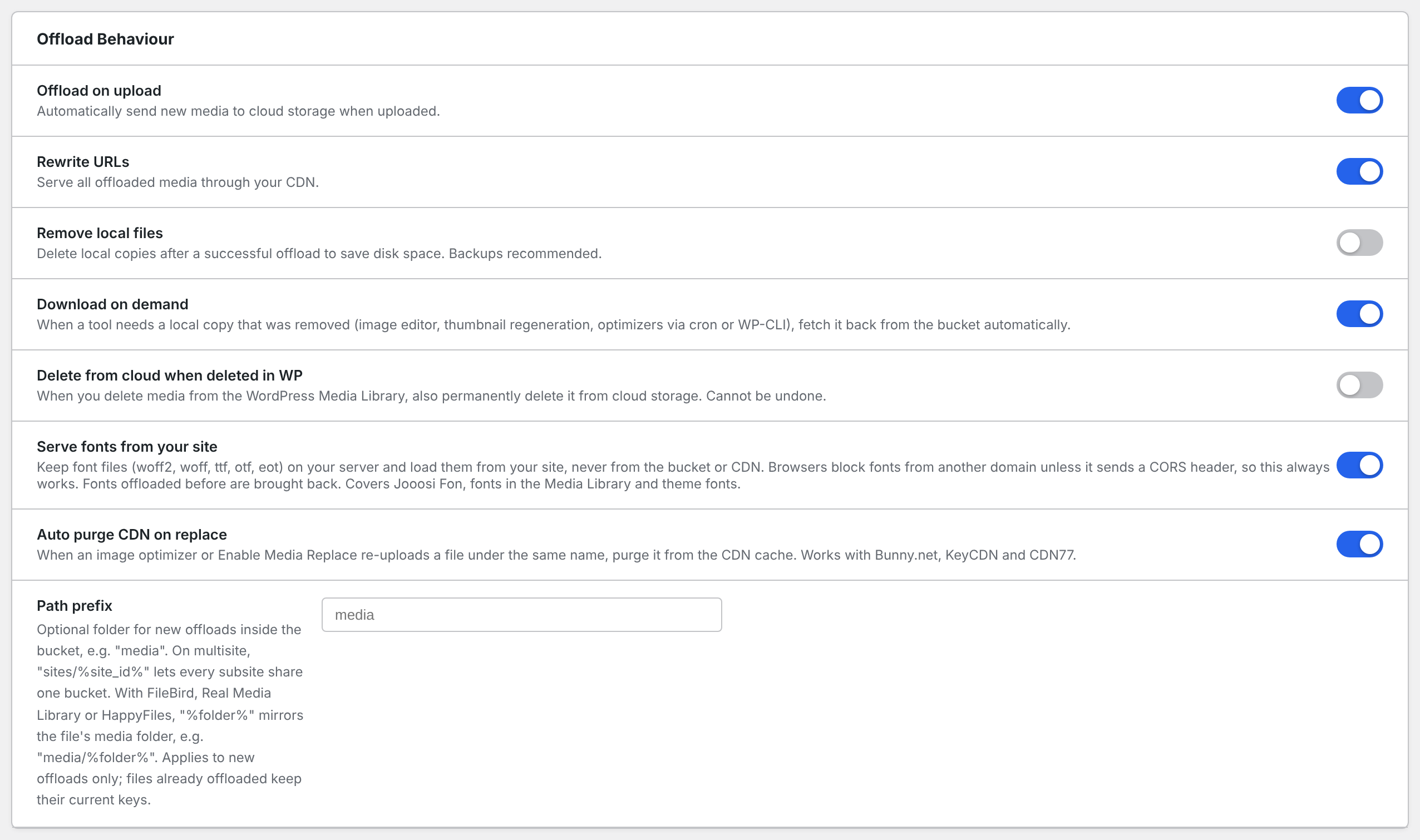
- Go to Media Cloud > Settings > Offload Behaviour.
- Set Path prefix to include
%folder%, for examplemedia/%folder%. - Save.
With that prefix, a file in the folder Products > Hero Shots is offloaded to media/products/hero-shots/2026/05/photo.jpg. Files outside any folder go under media/.
Good to know:
- The folder is read when the file is offloaded. Moving a file to another folder later does not move it in the bucket, and its URLs keep working.
- Files offloaded before you added
%folder%stay where they are. - Folder names are turned into lowercase, hyphenated paths.
See Custom path prefix for every prefix option.
Checking it works#
Go to Media Cloud > Integrations. Under Media Folders, your folder plugin shows Active.