
Meow GalleryNew
WP Media Cloud works with Meow Gallery and Meow Gallery Pro by Meow Apps from version 1.2.5. Gallery images load from your CDN in every layout, and the parts of Meow Gallery that read files from your server keep working when Remove local files is on.
The Integrations tab lists Meow Gallery under Galleries, and shows Meow Gallery Pro when the Pro version is active.
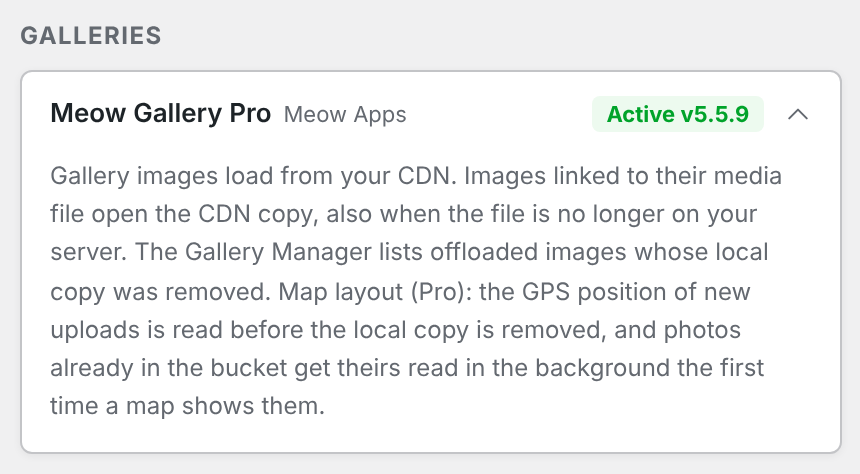
Gallery images#
Meow Gallery builds each image with the standard WordPress image functions, so the image, its srcset sizes and the images in its React layouts (Justified, Masonry, Square, Cascade, Tiles, Carousel, Map) come from your CDN without any setting.
Link to: Media File#
With a gallery’s Link set to Media File, each image links to its full-size file, and lightboxes open that link. Meow Gallery builds this address from your uploads folder on the server, not through WordPress, so with Remove local files on it pointed at a file that no longer exists.
From 1.2.5, an image that is offloaded links to its CDN copy instead. Images that are not offloaded keep their server address. Custom links and attachment page links are not changed.
Gallery Manager#
When you add images to a gallery in Meow Apps > Gallery Manager, Meow Gallery lists only images whose file is on your server. Offloaded images whose local copy was removed did not appear.
From 1.2.5 they are listed again, in Meow Gallery’s own order, with their CDN thumbnails, file name and size. Images that are neither on the server nor in the bucket stay out of the list, as before.
Map layout (Pro)#
The Map layout places each photo by the GPS position stored in the photo’s EXIF data. Meow Gallery reads that data from the file on your server once, and saves the result with the image. Without a local copy the read fails, an empty position is saved, and the photo never shows on the map.
From 1.2.5:
- New uploads: the position is read before WP Media Cloud removes the local copy, and saved the way Meow Gallery saves it. Photos without GPS data get an empty position, as before.
- Photos already in the bucket: the first time a map gallery shows a photo that has no position and no local copy, WP Media Cloud reads its position in the background from a temporary download, then deletes the download. The photo appears on the map from the next page view. Each photo is read once; nothing is written to your uploads folder.
Only JPEG and TIFF files carry GPS data, so other formats are skipped. The background reading uses WP-Cron.
Troubleshooting#
| Problem | Fix |
|---|---|
| A media-file link or lightbox opens a missing image | Check that the image shows In cloud in Media > Library. Clear your page cache so the gallery is built again. |
| An image is missing from the Gallery Manager | Check that it shows In cloud in Media > Library. Images that are neither on the server nor in the bucket are not listed. |
| A photo is missing from a map | Open the page with the map once, wait a minute for the background reading, then reload. Check that WP-Cron runs (Health tab). Photos without GPS data never show on a map. |