
Nahnu Video for Bunny Stream
Nahnu Video for Bunny Stream is our free plugin for showing Bunny Stream videos anywhere on your site, with shortcodes and blocks for single videos, grids and playlists. It works together with WP Media Cloud’s Bunny Stream video hosting.
What the two plugins do together#
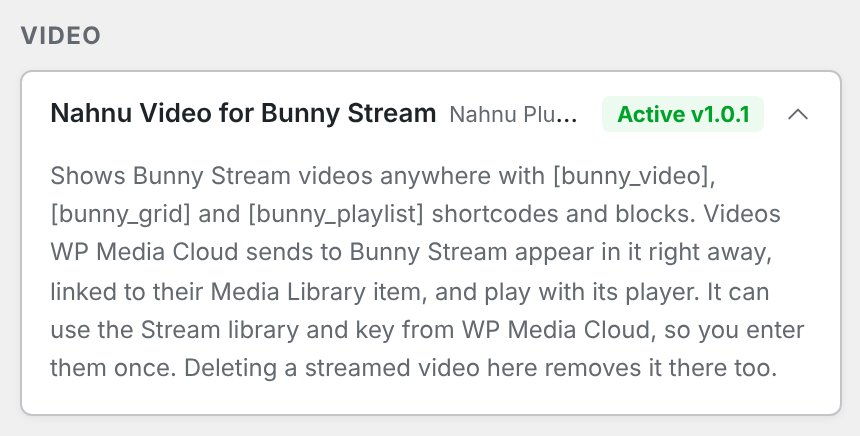
- Videos appear right away. Every video WP Media Cloud sends to Stream is added to Nahnu Video’s library, linked to its Media Library item.
- One set of settings. If Nahnu Video’s library ID and API key are empty, it uses the ones from WP Media Cloud’s Bunny Stream card. Values you enter in Nahnu Video always win. A library ID and API key are only ever used as a pair, never mixed from two libraries.
- One player. Streamed videos in your posts play with Nahnu Video’s player when both plugins use the same library.
- Ready-to-copy shortcodes. A streamed video’s Media Library screen shows its
shortcode. - Deletions stay in sync. Deleting a streamed video in WP Media Cloud removes it from Nahnu Video too.
Setting it up#
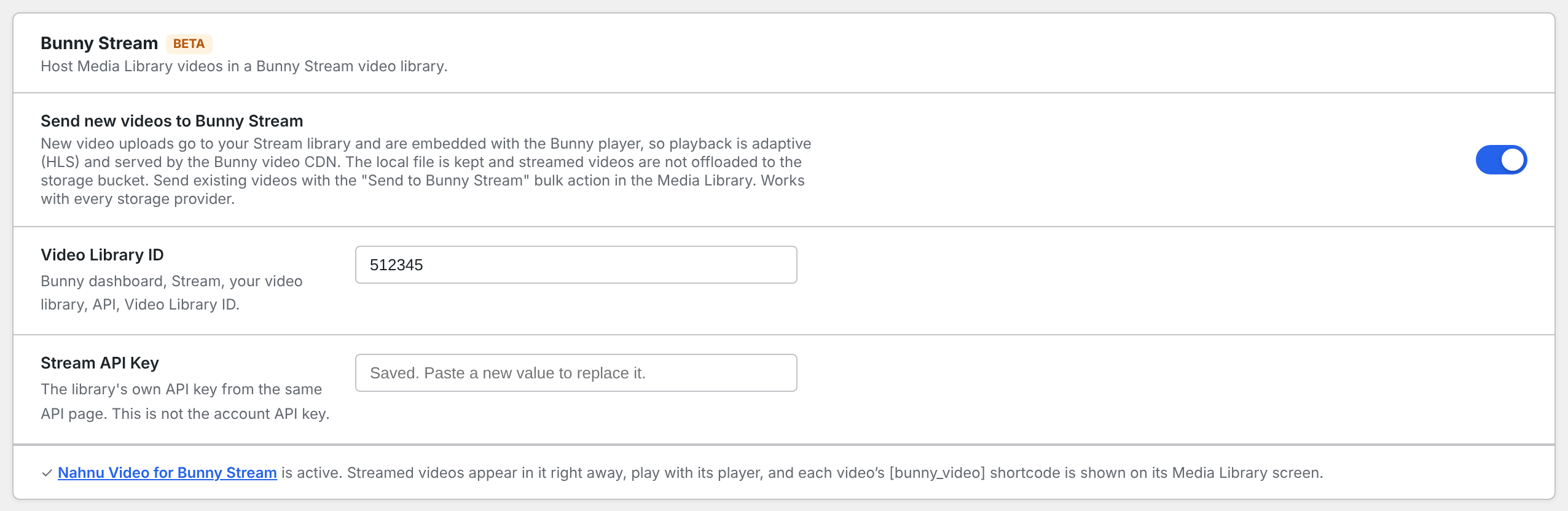
- Set up Bunny Stream in Media Cloud > Settings.
- Install and activate Nahnu Video for Bunny Stream from Plugins > Add New.
- Leave its library ID and API key empty to use WP Media Cloud’s, or enter the same library.
Shortcodes#
| Shortcode | Shows |
|---|---|
| One video |
| A grid of videos |
| A playlist |
The options for each are in Nahnu Video’s own documentation.
Checking it works#
Go to Media Cloud > Integrations. The Nahnu Video for Bunny Stream card under Video shows Active. If it says Nahnu Video is connected to a different Stream library, videos sent from WP Media Cloud will not show up in it: use the same library in both plugins.